Being a keen macro photographer, I was very excited when Olympus first announced its new Focus Bracketing and Focus Stacking modes back in mid-2015. Put simply, these modes allow you to take a series of bracketed shots (RAW + JPG) at varying focus distances, giving you a deeper depth of field. The only difference between the two is that Stacking actually merges the image in-camera while Bracketing requires merging in post-production.
Since I was also testing the Panasonic Lumix GX8 around the same time as the arrival of these modes, I sometimes found myself missing them for my macro photography. Little did I know that there was already a great solution out there in the form of a very useful and affordable camera app!
GSimpleRelease is a focus bracketing app for Lumix cameras designed by Holger Kremmin. It works with any Lumix camera that is WiFi capable and supports manual focus via the Panasonic Image App.
The official list of cameras that have been reported to work correctly with the app is as follows:
GH4, GH3, GX8, G7, G6, GM1, GM5, FZ1000, FZ300, GF7, GF6, and LX100
Unlike many camera apps I’ve used in the past, GSimpleRelease is extremely easy to set up and use. To get started, put your Lumix camera into Manual Focus, activate your camera’s WiFi and connect your smartphone to your camera’s network.
Then, open the GSimpleRelease app and wait for a splash screen to appear. The app will search for your camera and the two should connect fairly quickly. If they do not, check that your smartphone is indeed connected to your camera’s WiFi network.
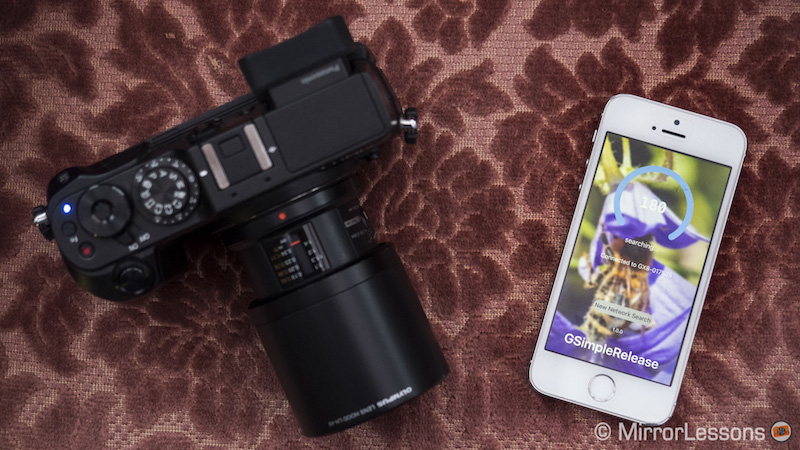
Once they are connected, you will see the following screen.

For the app to work, you must first select a near and far focus point. The arrows pointing left are used to adjust near focus while the two pointing right are for far focus. You can either adjust your focus in large increments (using the double arrows) or small increments (using the single arrows).
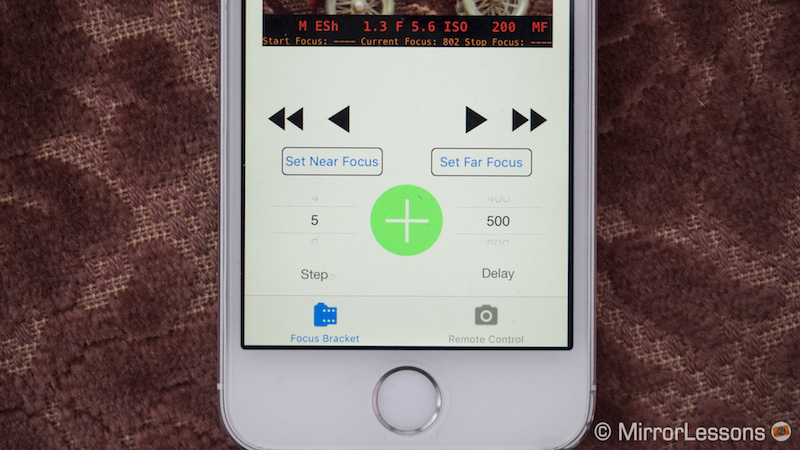
Once you’ve selected your nearest focus point, press the Set Near Focus button. Do the same with the Set Far Focus button.
Then, select the step width you desire. If you choose a high number, the camera will take fewer shots because the focus distance between each shot is larger, while a smaller number will result in more shots and smaller increments. There is also a Q (quick) option that takes the same number of shots as the step width of 10 but in rapid succession which is useful for subjects that are unlikely to stay still for very long.
You can also define the delay between each shot (between 100 and 1000). The higher the number, the bigger the delay.
When you are ready to start bracketing, press the green plus button in the centre. It will turn red during the bracketing process and you can be pressed a second time to cancel the process. Once it has finished, a message will appear on-screen telling you how many shots have been taken.
Real-World Use of GSimpleRelease App
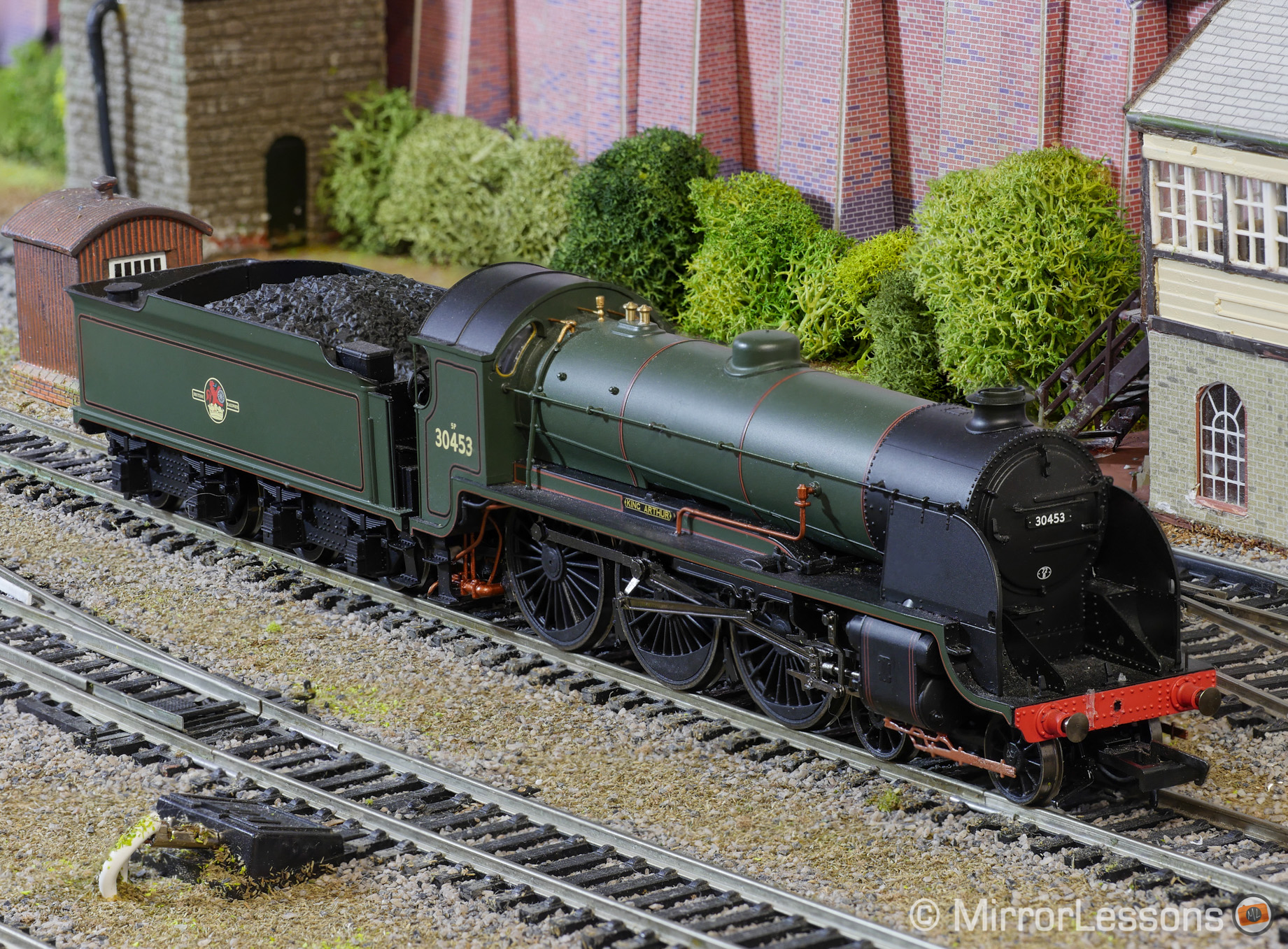
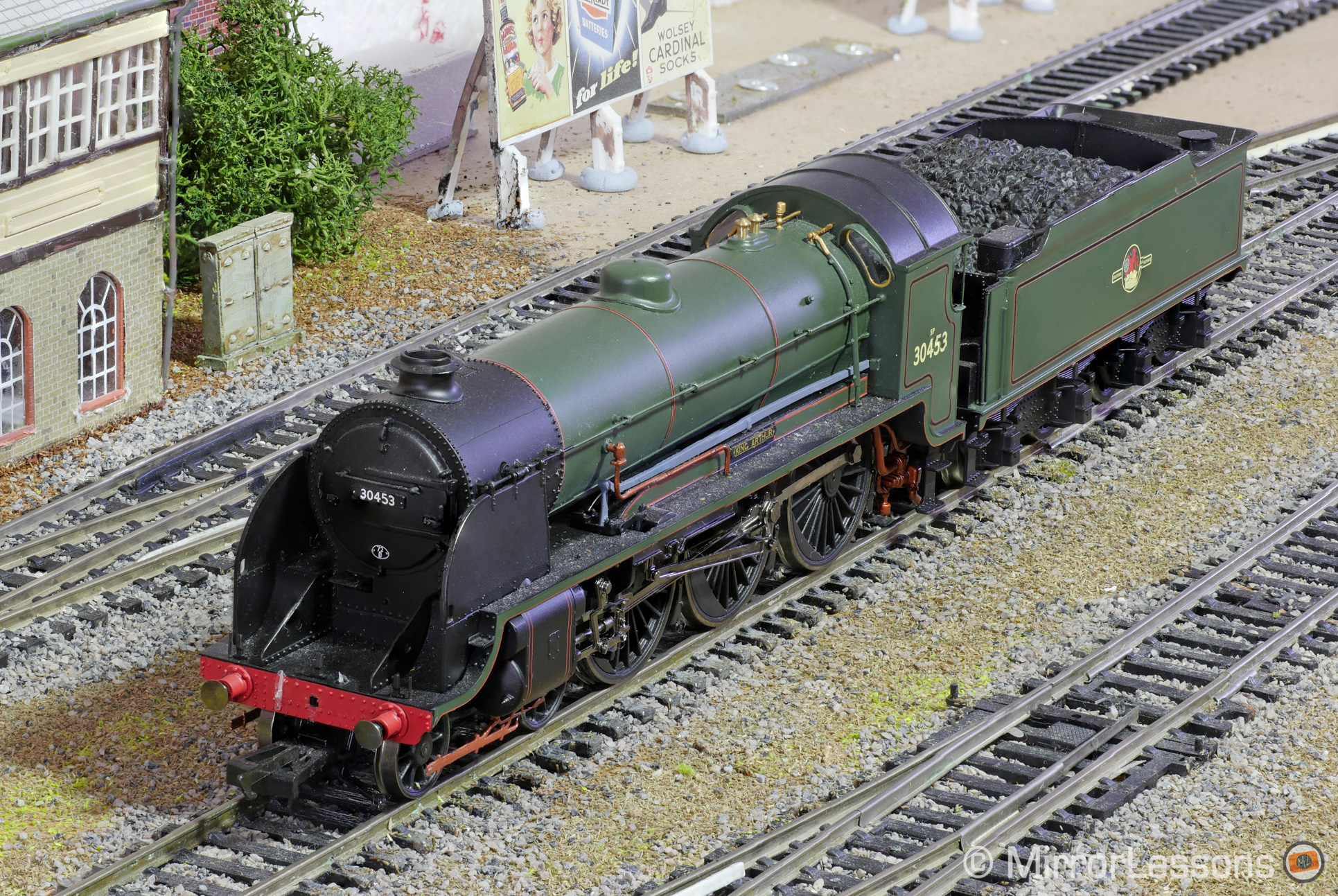
One of my dad’s pastimes is building model railways. Since he has started posting some photos of his railway on Flickr, I asked him if he would like some detailed shots of his favourite engines. It was an offer he couldn’t refuse!
Below are three images that were taken with the Lumix GX8 / M.Zuiko 60mm f/2.8 macro lens / GSimpleRelease app, stacked in Photoshop and retouched to eliminate some of the imperfections.

What about the GX85’s new Focus Bracket mode?
Panasonic Lumix’s most recent camera, the GX85 (also known as the GX80), is the first to feature Panasonic’s Focus Bracket mode. This new mode allows you to take between 1 and 999 shots in both RAW and JPG at focus steps that can be set in 5 levels.
The inclusion of this new mode obviously begs the question: is the GSimpleRelease app still relevant now that focus bracketing can be done in-camera?
In our opinion, it is still relevant because not all Lumix models produced before the GX80 will be able to receive this mode via firmware update, so this app is the only way to focus bracket – that is, unless you want to do it manually which is more time-consuming and less accurate.
If you are interested in the GSimpleRelease app, you can find out more on the Minaxsoft website, visit the official Flickr group to see sample images, or download it directly from the iTunes or Google Play app stores.
Thanks to David Barwick for bringing this app to our attention and to the app developer Holger Kremmin for getting in touch!
